Complete Guide to Adding Breadcrumbs in Shopify Themes
As a senior Shopify developer, I’ve seen how proper navigation can make or break the user experience. Breadcrumbs are one of those subtle but powerful UX elements that significantly improve both navigation and SEO. In this comprehensive guide, I’ll walk you through implementing breadcrumbs in Shopify themes the right way.
What Are Breadcrumbs and Why Do They Matter?
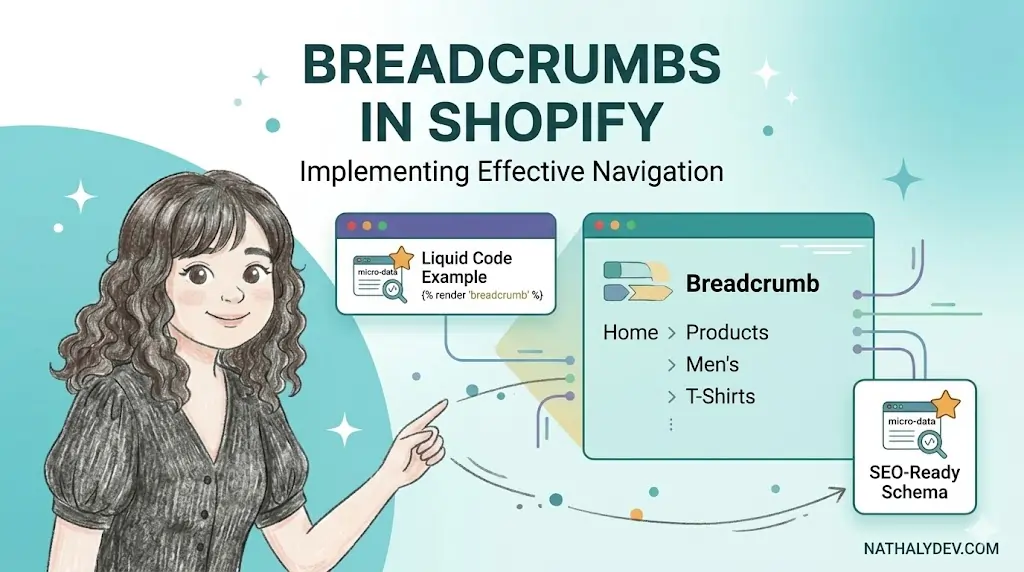
Breadcrumbs are a secondary navigation system that shows users their location within a website’s hierarchy. They typically appear near the top of a page and look something like this:
Home > Collections > Women's Clothing > Dresses
Benefits of Breadcrumbs
- Improved UX: Users can easily navigate back to previous pages
- Reduced Bounce Rate: Clear navigation helps users explore more content
- SEO Benefits: Search engines understand your site structure better
- Mobile-Friendly: Provides context on small screens where space is limited
Planning Your Breadcrumb Structure
Before diving into code, let’s plan the breadcrumb structure for different Shopify page types:
Collection Pages
Home > Collections > [Collection Name]
Product Pages
Home > Collections > [Collection Name] > [Product Name]
Blog Pages
Home > Blog > [Blog Name]
Blog Article Pages
Home > Blog > [Blog Name] > [Article Title]
Creating the Breadcrumb Snippet
Let’s start by creating a reusable breadcrumb snippet that you can use across your theme.
Create snippets/breadcrumbs.liquid
{%- comment -%}
  Breadcrumb Navigation Snippet
  Usage: {% render 'breadcrumbs' %}
{%- endcomment -%}

{%- assign breadcrumb_items = array -%}

{%- case template -%}
  {%- when 'product' -%}
    {%- assign breadcrumb_items = breadcrumb_items | append: 'Home' | append: '/' | append: collections.first.title | append: '/' | append: product.title -%}

  {%- when 'collection' -%}
    {%- assign breadcrumb_items = breadcrumb_items | append: 'Home' | append: '/' | append: collection.title -%}

  {%- when 'blog' -%}
    {%- assign breadcrumb_items = breadcrumb_items | append: 'Home' | append: '/' | append: blog.title -%}

  {%- when 'article' -%}
    {%- assign breadcrumb_items = breadcrumb_items | append: 'Home' | append: '/' | append: blog.title | append: '/' | append: article.title -%}

  {%- when 'page' -%}
    {%- assign breadcrumb_items = breadcrumb_items | append: 'Home' | append: '/' | append: page.title -%}

  {%- when 'search' -%}
    {%- assign breadcrumb_items = breadcrumb_items | append: 'Home' | append: '/' | append: 'Search Results' -%}

  {%- else -%}
    {%- assign breadcrumb_items = breadcrumb_items | append: 'Home' -%}
{%- endcase -%}

{%- if breadcrumb_items.size > 1 -%}
  <nav class="breadcrumb" role="navigation" aria-label="Breadcrumb navigation">
    <ol class="breadcrumb-list">
      {%- for item in breadcrumb_items -%}
        {%- if forloop.last -%}
          <li class="breadcrumb-item breadcrumb-item--active" aria-current="page">
            {{ item }}
          </li>
        {%- else -%}
          <li class="breadcrumb-item">
            {%- if forloop.first -%}
              <a href="{{ routes.root_url }}" class="breadcrumb-link">{{ item }}</a>
            {%- elsif template == 'product' and forloop.index == 2 -%}
              {%- for collection in product.collections -%}
                {%- if forloop.first -%}
                  <a href="{{ collection.url }}" class="breadcrumb-link">{{ collection.title }}</a>
                {%- endif -%}
              {%- endfor -%}
            {%- elsif template == 'article' and forloop.index == 2 -%}
              <a href="{{ blog.url }}" class="breadcrumb-link">{{ blog.title }}</a>
            {%- else -%}
              <span class="breadcrumb-separator">/</span>
            {%- endif -%}
          </li>
        {%- endif -%}
      {%- endfor -%}
    </ol>
  </nav>
{%- endif -%}
Advanced Breadcrumb Implementation
The basic snippet works, but let’s enhance it with better logic and structured data.
Enhanced Breadcrumb Snippet
{%- comment -%}
  Enhanced Breadcrumb Navigation with Structured Data
  Usage: {% render 'breadcrumbs' %}
{%- endcomment -%}

{%- assign breadcrumbs = array -%}
{%- assign structured_data_items = array -%}

{%- case template -%}
  {%- when 'product' -%}
    {%- assign breadcrumbs = breadcrumbs | append: '{"title": "Home", "url": "' | append: routes.root_url | append: '"}' -%}
    {%- if product.collections.size > 0 -%}
      {%- assign primary_collection = product.collections.first -%}
      {%- assign breadcrumbs = breadcrumbs | append: ',{"title": "' | append: primary_collection.title | append: '", "url": "' | append: primary_collection.url | append: '"}' -%}
    {%- endif -%}
    {%- assign breadcrumbs = breadcrumbs | append: ',{"title": "' | append: product.title | append: '", "url": ""}' -%}

  {%- when 'collection' -%}
    {%- assign breadcrumbs = breadcrumbs | append: '{"title": "Home", "url": "' | append: routes.root_url | append: '"}' -%}
    {%- assign breadcrumbs = breadcrumbs | append: ',{"title": "' | append: collection.title | append: '", "url": ""}' -%}

  {%- when 'blog' -%}
    {%- assign breadcrumbs = breadcrumbs | append: '{"title": "Home", "url": "' | append: routes.root_url | append: '"}' -%}
    {%- assign breadcrumbs = breadcrumbs | append: ',{"title": "Blog", "url": "/blogs"}' -%}
    {%- assign breadcrumbs = breadcrumbs | append: ',{"title": "' | append: blog.title | append: '", "url": ""}' -%}

  {%- when 'article' -%}
    {%- assign breadcrumbs = breadcrumbs | append: '{"title": "Home", "url": "' | append: routes.root_url | append: '"}' -%}
    {%- assign breadcrumbs = breadcrumbs | append: ',{"title": "Blog", "url": "/blogs"}' -%}
    {%- assign breadcrumbs = breadcrumbs | append: ',{"title": "' | append: blog.title | append: '", "url": "' | append: blog.url | append: '"}' -%}
    {%- assign breadcrumbs = breadcrumbs | append: ',{"title": "' | append: article.title | append: '", "url": ""}' -%}

  {%- when 'page' -%}
    {%- assign breadcrumbs = breadcrumbs | append: '{"title": "Home", "url": "' | append: routes.root_url | append: '"}' -%}
    {%- assign breadcrumbs = breadcrumbs | append: ',{"title": "' | append: page.title | append: '", "url": ""}' -%}

  {%- when 'search' -%}
    {%- assign breadcrumbs = breadcrumbs | append: '{"title": "Home", "url": "' | append: routes.root_url | append: '"}' -%}
    {%- assign breadcrumbs = breadcrumbs | append: ',{"title": "Search Results", "url": ""}' -%}
{%- endcase -%}

{%- assign breadcrumb_array = breadcrumbs | split: ',' -%}

{%- if breadcrumb_array.size > 1 -%}
  <nav class="breadcrumb" role="navigation" aria-label="Breadcrumb navigation">
    <ol class="breadcrumb-list">
      {%- for breadcrumb in breadcrumb_array -%}
        {%- assign breadcrumb_data = breadcrumb | json -%}
        {%- assign breadcrumb_title = breadcrumb_data.title -%}
        {%- assign breadcrumb_url = breadcrumb_data.url -%}

        {%- if forloop.last -%}
          <li class="breadcrumb-item breadcrumb-item--active" aria-current="page">
            {{ breadcrumb_title }}
          </li>
        {%- else -%}
          <li class="breadcrumb-item">
            <a href="{{ breadcrumb_url }}" class="breadcrumb-link">{{ breadcrumb_title }}</a>
          </li>
        {%- endif -%}

        {%- unless forloop.last -%}
          <li class="breadcrumb-separator" aria-hidden="true">/</li>
        {%- endunless -%}
      {%- endfor -%}
    </ol>
  </nav>

  {%- comment -%}
    Structured Data for SEO
  {%- endcomment -%}
  <script type="application/ld+json">
  {
    "@context": "https://schema.org",
    "@type": "BreadcrumbList",
    "itemListElement": [
      {%- for breadcrumb in breadcrumb_array -%}
        {%- assign breadcrumb_data = breadcrumb | json -%}
        {%- assign breadcrumb_title = breadcrumb_data.title -%}
        {%- assign breadcrumb_url = breadcrumb_data.url -%}
        {
          "@type": "ListItem",
          "position": {{ forloop.index }},
          "name": {{ breadcrumb_title | json }},
          {%- if breadcrumb_url != "" -%}
            "item": "{{ breadcrumb_url }}"
          {%- endif -%}
        }{%- unless forloop.last -%},{%- endunless -%}
      {%- endfor -%}
    ]
  }
  </script>
{%- endif -%}
Styling Your Breadcrumbs
Now let’s add some CSS to make our breadcrumbs look professional and match your theme’s design.
Add to assets/breadcrumbs.css
/* Breadcrumb Navigation */
.breadcrumb {
  padding: 1rem 0;
  margin-bottom: 1rem;
  font-size: 0.875rem;
}

.breadcrumb-list {
  display: flex;
  align-items: center;
  flex-wrap: wrap;
  list-style: none;
  margin: 0;
  padding: 0;
}

.breadcrumb-item {
  display: flex;
  align-items: center;
}

.breadcrumb-link {
  color: var(--color-text-secondary, #666);
  text-decoration: none;
  transition: color 0.2s ease;
}

.breadcrumb-link:hover {
  color: var(--color-primary, #000);
  text-decoration: underline;
}

.breadcrumb-item--active {
  color: var(--color-text-primary, #000);
  font-weight: 500;
}

.breadcrumb-separator {
  margin: 0 0.5rem;
  color: var(--color-text-muted, #999);
  font-size: 0.75rem;
}

/* Responsive Design */
@media (max-width: 768px) {
  .breadcrumb {
    padding: 0.75rem 0;
    font-size: 0.8rem;
  }

  .breadcrumb-separator {
    margin: 0 0.25rem;
  }
}

/* Dark Mode Support */
@media (prefers-color-scheme: dark) {
  .breadcrumb-link {
    color: var(--color-text-secondary, #999);
  }

  .breadcrumb-link:hover {
    color: var(--color-primary, #fff);
  }

  .breadcrumb-item--active {
    color: var(--color-text-primary, #fff);
  }

  .breadcrumb-separator {
    color: var(--color-text-muted, #666);
  }
}
Integrating Breadcrumbs into Your Theme
Now let’s add the breadcrumbs to your Shopify 2.0 theme. In Online Store 2.0, we’ll use sections for better flexibility and customization.
Create sections/breadcrumbs.liquid
{%- comment -%}
  Breadcrumbs Section for Shopify 2.0
  Usage: Add this section to any page template via the theme editor
{%- endcomment -%}

{% schema %}
{
  "name": "Breadcrumbs",
  "settings": [
    {
      "type": "checkbox",
      "id": "show_breadcrumbs",
      "label": "Show breadcrumbs",
      "default": true
    },
    {
      "type": "select",
      "id": "breadcrumb_separator",
      "label": "Separator",
      "options": [
        {"value": "/", "label": "Slash (/)"},
        {"value": ">", "label": "Greater than (>)"},
        {"value": "→", "label": "Arrow (→)"},
        {"value": "•", "label": "Bullet (•)"}
      ],
      "default": "/"
    },
    {
      "type": "checkbox",
      "id": "show_home_icon",
      "label": "Show home icon",
      "default": false
    },
    {
      "type": "header",
      "content": "Colors"
    },
    {
      "type": "color",
      "id": "text_color",
      "label": "Text color",
      "default": "#666666"
    },
    {
      "type": "color",
      "id": "active_color",
      "label": "Active page color",
      "default": "#000000"
    },
    {
      "type": "color",
      "id": "separator_color",
      "label": "Separator color",
      "default": "#999999"
    }
  ],
  "presets": [
    {
      "name": "Breadcrumbs",
      "category": "Navigation"
    }
  ]
}
{% endschema %}

{%- style -%}
.breadcrumb {
  padding: 1rem 0;
  margin-bottom: 1rem;
  font-size: 0.875rem;
}

.breadcrumb-list {
  display: flex;
  align-items: center;
  flex-wrap: wrap;
  list-style: none;
  margin: 0;
  padding: 0;
}

.breadcrumb-item {
  display: flex;
  align-items: center;
}

.breadcrumb-link {
  color: {{ section.settings.text_color }};
  text-decoration: none;
  transition: color 0.2s ease;
}

.breadcrumb-link:hover {
  color: {{ section.settings.active_color }};
  text-decoration: underline;
}

.breadcrumb-item--active {
  color: {{ section.settings.active_color }};
  font-weight: 500;
}

.breadcrumb-separator {
  margin: 0 0.5rem;
  color: {{ section.settings.separator_color }};
  font-size: 0.75rem;
}

@media (max-width: 768px) {
  .breadcrumb {
    padding: 0.75rem 0;
    font-size: 0.8rem;
  }

  .breadcrumb-separator {
    margin: 0 0.25rem;
  }
}
{%- endstyle -%}

{%- if section.settings.show_breadcrumbs -%}
  {%- assign breadcrumbs = array -%}

  {%- case template -%}
    {%- when 'product' -%}
      {%- assign breadcrumbs = breadcrumbs | append: '{"title": "Home", "url": "' | append: routes.root_url | append: '"}' -%}
      {%- if product.collections.size > 0 -%}
        {%- assign primary_collection = product.collections.first -%}
        {%- assign breadcrumbs = breadcrumbs | append: ',{"title": "' | append: primary_collection.title | append: '", "url": "' | append: primary_collection.url | append: '"}' -%}
      {%- endif -%}
      {%- assign breadcrumbs = breadcrumbs | append: ',{"title": "' | append: product.title | append: '", "url": ""}' -%}

    {%- when 'collection' -%}
      {%- assign breadcrumbs = breadcrumbs | append: '{"title": "Home", "url": "' | append: routes.root_url | append: '"}' -%}
      {%- assign breadcrumbs = breadcrumbs | append: ',{"title": "' | append: collection.title | append: '", "url": ""}' -%}

    {%- when 'blog' -%}
      {%- assign breadcrumbs = breadcrumbs | append: '{"title": "Home", "url": "' | append: routes.root_url | append: '"}' -%}
      {%- assign breadcrumbs = breadcrumbs | append: ',{"title": "Blog", "url": "/blogs"}' -%}
      {%- assign breadcrumbs = breadcrumbs | append: ',{"title": "' | append: blog.title | append: '", "url": ""}' -%}

    {%- when 'article' -%}
      {%- assign breadcrumbs = breadcrumbs | append: '{"title": "Home", "url": "' | append: routes.root_url | append: '"}' -%}
      {%- assign breadcrumbs = breadcrumbs | append: ',{"title": "Blog", "url": "/blogs"}' -%}
      {%- assign breadcrumbs = breadcrumbs | append: ',{"title": "' | append: blog.title | append: '", "url": "' | append: blog.url | append: '"}' -%}
      {%- assign breadcrumbs = breadcrumbs | append: ',{"title": "' | append: article.title | append: '", "url": ""}' -%}

    {%- when 'page' -%}
      {%- assign breadcrumbs = breadcrumbs | append: '{"title": "Home", "url": "' | append: routes.root_url | append: '"}' -%}
      {%- assign breadcrumbs = breadcrumbs | append: ',{"title": "' | append: page.title | append: '", "url": ""}' -%}

    {%- when 'search' -%}
      {%- assign breadcrumbs = breadcrumbs | append: '{"title": "Home", "url": "' | append: routes.root_url | append: '"}' -%}
      {%- assign breadcrumbs = breadcrumbs | append: ',{"title": "Search Results", "url": ""}' -%}
  {%- endcase -%}

  {%- assign breadcrumb_array = breadcrumbs | split: ',' -%}

  {%- if breadcrumb_array.size > 1 -%}
    <nav class="breadcrumb" role="navigation" aria-label="Breadcrumb navigation">
      <ol class="breadcrumb-list">
        {%- for breadcrumb in breadcrumb_array -%}
          {%- assign breadcrumb_data = breadcrumb | json -%}
          {%- assign breadcrumb_title = breadcrumb_data.title -%}
          {%- assign breadcrumb_url = breadcrumb_data.url -%}

          {%- if forloop.last -%}
            <li class="breadcrumb-item breadcrumb-item--active" aria-current="page">
              {%- if section.settings.show_home_icon and forloop.index == 1 -%}
                <span class="home-icon">🏠</span>
              {%- endif -%}
              {{ breadcrumb_title }}
            </li>
          {%- else -%}
            <li class="breadcrumb-item">
              <a href="{{ breadcrumb_url }}" class="breadcrumb-link">
                {%- if section.settings.show_home_icon and forloop.index == 1 -%}
                  <span class="home-icon">🏠</span>
                {%- endif -%}
                {{ breadcrumb_title }}
              </a>
            </li>
          {%- endif -%}

          {%- unless forloop.last -%}
            <li class="breadcrumb-separator" aria-hidden="true">{{ section.settings.breadcrumb_separator }}</li>
          {%- endunless -%}
        {%- endfor -%}
      </ol>
    </nav>

    {%- comment -%}
      Structured Data for SEO
    {%- endcomment -%}
    <script type="application/ld+json">
    {
      "@context": "https://schema.org",
      "@type": "BreadcrumbList",
      "itemListElement": [
        {%- for breadcrumb in breadcrumb_array -%}
          {%- assign breadcrumb_data = breadcrumb | json -%}
          {%- assign breadcrumb_title = breadcrumb_data.title -%}
          {%- assign breadcrumb_url = breadcrumb_data.url -%}
          {
            "@type": "ListItem",
            "position": {{ forloop.index }},
            "name": {{ breadcrumb_title | json }},
            {%- if breadcrumb_url != "" -%}
              "item": "{{ breadcrumb_url }}"
            {%- endif -%}
          }{%- unless forloop.last -%},{%- endunless -%}
        {%- endfor -%}
      ]
    }
    </script>
  {%- endif -%}
{%- endif -%}
Adding the Section to Templates
In Shopify 2.0, you add sections to templates through the theme editor or by editing JSON template files.
Method 1: Theme Editor (Recommended)
- Go to Online Store > Themes > Customize
- Select any page template (Product, Collection, Blog, etc.)
- Click Add section > Breadcrumbs
- Configure the settings as needed
- Save and repeat for other templates
Method 2: JSON Template Files
For programmatic control, you can add the section to JSON template files:
templates/product.json
{
  "sections": {
    "main": {
      "type": "main-product"
    },
    "breadcrumbs": {
      "type": "breadcrumbs",
      "settings": {
        "show_breadcrumbs": true,
        "breadcrumb_separator": "/",
        "show_home_icon": false
      }
    },
    "footer": {
      "type": "footer"
    }
  },
  "order": [
    "breadcrumbs",
    "main",
    "footer"
  ]
}
templates/collection.json
{
  "sections": {
    "main": {
      "type": "main-collection"
    },
    "breadcrumbs": {
      "type": "breadcrumbs",
      "settings": {
        "show_breadcrumbs": true,
        "breadcrumb_separator": ">"
      }
    },
    "footer": {
      "type": "footer"
    }
  },
  "order": [
    "breadcrumbs",
    "main",
    "footer"
  ]
}
templates/blog.json
{
  "sections": {
    "main": {
      "type": "main-blog"
    },
    "breadcrumbs": {
      "type": "breadcrumbs",
      "settings": {
        "show_breadcrumbs": true,
        "breadcrumb_separator": "→"
      }
    },
    "footer": {
      "type": "footer"
    }
  },
  "order": [
    "breadcrumbs",
    "main",
    "footer"
  ]
}
Advanced Features
Dynamic Collection Detection
For products in multiple collections, you might want to show the most relevant collection. This logic can be enhanced within the section:
{%- comment -%}
  Enhanced collection detection for products in multiple collections
  Add this logic to the breadcrumbs section for smarter collection selection
{%- endcomment -%}

{%- when 'product' -%}
  {%- assign breadcrumbs = breadcrumbs | append: '{"title": "Home", "url": "' | append: routes.root_url | append: '"}' -%}

  {%- if product.collections.size > 0 -%}
    {%- assign primary_collection = product.collections.first -%}

    {%- comment -%}
      Try to find a collection that matches the product type or tags
    {%- endcomment -%}
    {%- for collection in product.collections -%}
      {%- assign collection_handle = collection.handle | handleize -%}
      {%- assign product_type = product.type | handleize -%}

      {%- if collection_handle contains product_type -%}
        {%- assign primary_collection = collection -%}
        {%- break -%}
      {%- endif -%}

      {%- comment -%}
        Check if collection matches any product tags
      {%- endcomment -%}
      {%- for tag in product.tags -%}
        {%- assign tag_handle = tag | handleize -%}
        {%- if collection_handle contains tag_handle -%}
          {%- assign primary_collection = collection -%}
          {%- break -%}
        {%- endif -%}
      {%- endfor -%}

      {%- if primary_collection == collection -%}
        {%- break -%}
      {%- endif -%}
    {%- endfor -%}

    {%- assign breadcrumbs = breadcrumbs | append: ',{"title": "' | append: primary_collection.title | append: '", "url": "' | append: primary_collection.url | append: '"}' -%}
  {%- endif -%}

  {%- assign breadcrumbs = breadcrumbs | append: ',{"title": "' | append: product.title | append: '", "url": ""}' -%}
Conditional Breadcrumb Display
You can add conditional logic to show breadcrumbs only on specific page types or based on user settings:
{%- comment -%}
  Add this to your breadcrumbs section for conditional display
{%- endcomment -%}

{%- assign show_breadcrumbs = true -%}

{%- comment -%}
  Hide breadcrumbs on homepage
{%- endcomment -%}
{%- if template == 'index' -%}
  {%- assign show_breadcrumbs = false -%}
{%- endif -%}

{%- comment -%}
  Hide breadcrumbs on specific pages using metafield
{%- endcomment -%}
{%- if page.metafields.custom.hide_breadcrumbs -%}
  {%- assign show_breadcrumbs = false -%}
{%- endif -%}

{%- if show_breadcrumbs and section.settings.show_breadcrumbs -%}
  <!-- breadcrumb content -->
{%- endif -%}
Testing Your Breadcrumbs
Manual Testing Checklist
- Breadcrumbs appear on product pages
- Breadcrumbs appear on collection pages
- Breadcrumbs appear on blog/article pages
- Links work correctly
- Current page is marked as active (not clickable)
- Structured data validates in Google’s Rich Results Test
- Responsive design works on mobile
- Accessibility features work with screen readers
SEO Validation
Use these tools to validate your breadcrumb implementation:
- Google Rich Results Test: Check structured data
- Google Search Console: Monitor for breadcrumb errors
- Screaming Frog: Audit internal linking
- Mobile-Friendly Test: Ensure mobile compatibility
Common Issues and Solutions
Issue: Breadcrumbs Not Showing on Product Pages
Solution: Ensure products are assigned to collections. Products without collections won’t have breadcrumb paths.
{%- if product.collections.size > 0 -%}
  <!-- show breadcrumbs -->
{%- endif -%}
Issue: Structured Data Errors
Solution: Validate your JSON syntax and ensure all required fields are present:
{%- comment -%}
  Always escape JSON values properly
{%- endcomment -%}
"name": {{ product.title | json }}
Issue: Mobile Layout Problems
Solution: Use flexbox wrapping and proper breakpoints:
.breadcrumb-list {
  flex-wrap: wrap;
  overflow: hidden;
  text-overflow: ellipsis;
}
Performance Optimization
Lazy Load Structured Data
For better performance, load breadcrumb structured data only when needed:
{%- if template contains 'product' or template contains 'collection' -%}
  <script type="application/ld+json">
    <!-- structured data -->
  </script>
{%- endif -%}
Cache Breadcrumb Output
For high-traffic stores, consider caching breadcrumb calculations:
{%- assign breadcrumb_cache_key = template | append: '-' | append: product.id -%}
{%- assign cached_breadcrumb = breadcrumb_cache_key | cache -%}

{%- unless cached_breadcrumb -%}
  <!-- generate breadcrumbs -->
  {% assign cached_breadcrumb = breadcrumb_output | cache: breadcrumb_cache_key %}
{%- endunless -%}

{{ cached_breadcrumb }}
Best Practices Summary
- Use Shopify 2.0 Sections: Leverage the section system for maximum flexibility
- Keep it Simple: Don’t overcomplicate breadcrumb logic
- Be Consistent: Use the same breadcrumb structure across all pages
- Accessibility First: Include proper ARIA labels and semantic markup
- SEO Optimized: Always include structured data
- Mobile Friendly: Ensure readability on small screens
- Test Thoroughly: Validate across different page types and devices
- Theme Editor Friendly: Make settings customizable through the theme editor
Shopify 1.0 vs 2.0: Key Differences
It’s important to understand the difference between Shopify versions:
- Shopify 1.0: Used template-specific code (
templates/product.liquid, etc.) - Shopify 2.0: Uses sections with JSON templates for better customization
This guide focuses on Shopify 2.0, which is the current standard and provides much more flexibility for merchants to customize their store without touching code.
Conclusion
Implementing breadcrumbs in Shopify 2.0 themes using sections is the modern, flexible approach that delivers significant UX and SEO benefits. By following this guide, you’ll create a breadcrumb system that:
- Improves navigation and user experience with clear hierarchical paths
- Enhances SEO with proper structured data for search engines
- Works seamlessly across all device types with responsive design
- Maintains accessibility standards with proper ARIA labels
- Integrates smoothly with your existing theme architecture
- Provides merchant control through theme editor settings
- Supports future updates with the section-based architecture
Remember that breadcrumbs should complement, not replace, your primary navigation. They’re a secondary navigation aid that helps users understand their location within your store’s hierarchy while providing SEO benefits through structured data.
Need help implementing breadcrumbs in your Shopify theme? As a senior Shopify developer, I can help you create custom navigation solutions that improve both UX and SEO. Book a call for expert theme development services.