Building Headless Shopify with React: Complete Developer Guide
Headless Shopify architecture has revolutionized e-commerce development, offering unprecedented flexibility and performance. As a Shopify developer who has implemented numerous headless solutions, I’ll guide you through building a complete headless Shopify store using React.
Understanding Headless Shopify Architecture
What is Headless Shopify?
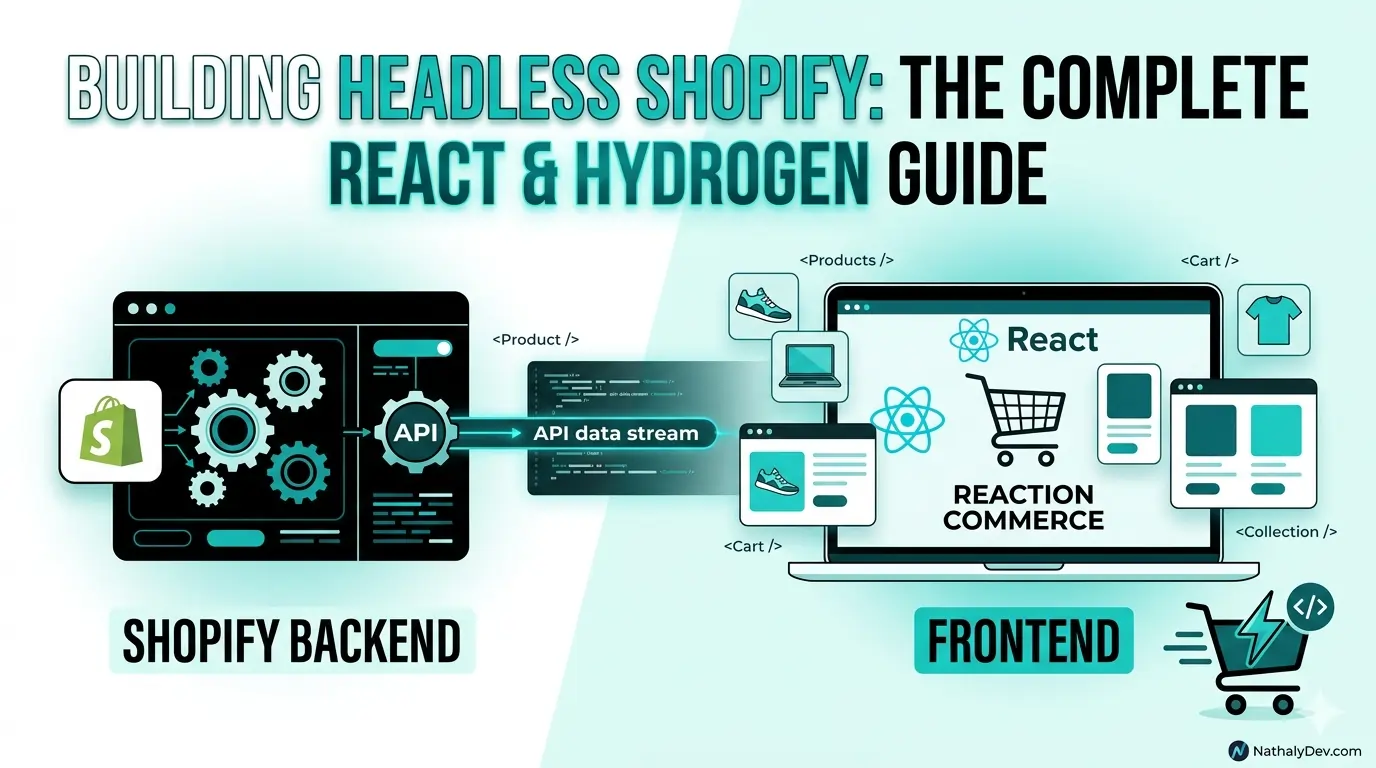
Headless Shopify separates the frontend (head) from the backend commerce functionality, allowing you to build custom storefronts while leveraging Shopify’s powerful commerce features.
Benefits of Going Headless
- Performance: Faster load times and better Core Web Vitals
- Flexibility: Complete design freedom
- Scalability: Better handling of high traffic
- User Experience: Enhanced interactivity and animations
Choosing Your Headless Stack
1. Shopify Hydrogen (React-based)
# Create a new Hydrogen project
npm create @shopify/hydrogen@latest
cd hydrogen-store
npm run dev
Pros:
- Optimized for Shopify
- Built-in performance optimizations
- Tailored components
Cons:
- Limited to Shopify
- Smaller ecosystem
2. Next.js + Shopify Storefront API
# Create Next.js project
npx create-next-app@latest my-headless-store
cd my-headless-store
npm install @shopify/storefront-api-react
Pros:
- Flexible framework choice
- Large ecosystem
- Advanced features
Cons:
- More setup required
- Performance optimization needed
Setting Up Shopify Storefront API
1. Create Private App
- Go to Shopify Admin → Apps → Manage private apps
- Create new private app
- Enable Storefront API permissions
- Generate Storefront API access token
2. Configure Environment Variables
# .env.local
SHOPIFY_STORE_DOMAIN=your-store.myshopify.com
SHOPIFY_STOREFRONT_API_TOKEN=your-storefront-access-token
NEXT_PUBLIC_SHOPIFY_STORE_ID=your-store-id
Implementing GraphQL Queries
Product Collection Query
# graphql/getProducts.graphql
query getProducts($first: Int!, $cursor: String) {
  products(first: $first, after: $cursor) {
    edges {
      node {
        id
        title
        handle
        description
        vendor
        productType
        tags
        priceRangeV2 {
          minVariantPrice {
            amount
            currencyCode
          }
        }
        images(first: 1) {
          edges {
            node {
              url
              altText
            }
          }
        }
        variants(first: 10) {
          edges {
            node {
              id
              title
              sku
              availableForSale
              priceV2 {
                amount
                currencyCode
              }
              compareAtPriceV2 {
                amount
                currencyCode
              }
            }
          }
        }
      }
    }
    pageInfo {
      hasNextPage
      endCursor
    }
  }
}
Single Product Query
# graphql/getProduct.graphql
query getProduct($handle: String!) {
  product(handle: $handle) {
    id
    title
    handle
    description
    vendor
    productType
    tags
    images(first: 10) {
      edges {
        node {
          url
          altText
          width
          height
        }
      }
    }
    variants(first: 100) {
      edges {
        node {
          id
          title
          sku
          availableForSale
          priceV2 {
            amount
            currencyCode
          }
          compareAtPriceV2 {
            amount
            currencyCode
          }
          selectedOptions {
            name
            value
          }
          image {
            url
            altText
          }
        }
      }
    }
    options {
      id
      name
      values
    }
    seo {
      title
      description
    }
  }
}
Building React Components
1. Product Card Component
// components/ProductCard.jsx
import Image from 'next/image';
import Link from 'next/link';

export default function ProductCard({ product }) {
  const { title, handle, priceRangeV2, images } = product;
  const price = priceRangeV2.minVariantPrice.amount;
  const currency = priceRangeV2.minVariantPrice.currencyCode;
  const image = images.edges[0]?.node;

  return (
    <div className="product-card">
      <Link href={`/products/${handle}`}>
        <div className="product-image">
          {image && (
            <Image
              src={image.url}
              alt={image.altText || title}
              width={300}
              height={300}
              className="object-cover"
            />
          )}
        </div>
        <div className="product-info">
          <h3 className="product-title">{title}</h3>
          <p className="product-price">
            {new Intl.NumberFormat('en-US', {
              style: 'currency',
              currency: currency
            }).format(price)}
          </p>
        </div>
      </Link>
    </div>
  );
}
2. Product Collection Component
// components/ProductCollection.jsx
import ProductCard from './ProductCard';
import { useProducts } from '../hooks/useProducts';

export default function ProductCollection() {
  const { products, loading, error, loadMore } = useProducts();

  if (loading && products.length === 0) {
    return <div>Loading products...</div>;
  }

  if (error) {
    return <div>Error loading products: {error.message}</div>;
  }

  return (
    <div className="product-collection">
      <div className="product-grid">
        {products.map((product) => (
          <ProductCard key={product.id} product={product} />
        ))}
      </div>

      {loadMore && (
        <button
          onClick={loadMore}
          className="load-more-btn"
        >
          Load More Products
        </button>
      )}
    </div>
  );
}
Custom React Hooks for Shopify
1. useProducts Hook
// hooks/useProducts.js
import { useState, useCallback } from 'react';
import { useShopify } from './useShopify';

export function useProducts() {
  const { client } = useShopify();
  const [products, setProducts] = useState([]);
  const [loading, setLoading] = useState(false);
  const [error, setError] = useState(null);
  const [cursor, setCursor] = useState(null);
  const [hasNextPage, setHasNextPage] = useState(true);

  const fetchProducts = useCallback(async (reset = false) => {
    setLoading(true);
    setError(null);

    try {
      const { data } = await client.query({
        query: GET_PRODUCTS_QUERY,
        variables: {
          first: 20,
          cursor: reset ? null : cursor
        }
      });

      const newProducts = data.products.edges.map(edge => edge.node);

      if (reset) {
        setProducts(newProducts);
      } else {
        setProducts(prev => [...prev, ...newProducts]);
      }

      setCursor(data.products.pageInfo.endCursor);
      setHasNextPage(data.products.pageInfo.hasNextPage);
    } catch (err) {
      setError(err);
    } finally {
      setLoading(false);
    }
  }, [client, cursor]);

  const loadMore = useCallback(() => {
    if (hasNextPage && !loading) {
      fetchProducts(false);
    }
  }, [fetchProducts, hasNextPage, loading]);

  return {
    products,
    loading,
    error,
    loadMore,
    refetch: () => fetchProducts(true)
  };
}
2. useCart Hook
// hooks/useCart.js
import { useState, useCallback, createContext, useContext } from 'react';
import { useShopify } from './useShopify';

const CartContext = createContext();

export function CartProvider({ children }) {
  const { cart } = useShopify();
  const [cartState, setCartState] = useState(null);
  const [loading, setLoading] = useState(false);

  const fetchCart = useCallback(async () => {
    setLoading(true);
    try {
      const cartData = await cart.fetch();
      setCartState(cartData);
    } catch (error) {
      console.error('Error fetching cart:', error);
    } finally {
      setLoading(false);
    }
  }, [cart]);

  const addToCart = useCallback(async (variantId, quantity = 1) => {
    setLoading(true);
    try {
      await cart.addLines([{ variantId, quantity }]);
      await fetchCart();
    } catch (error) {
      console.error('Error adding to cart:', error);
    } finally {
      setLoading(false);
    }
  }, [cart, fetchCart]);

  const updateCartItem = useCallback(async (lineId, quantity) => {
    setLoading(true);
    try {
      await cart.updateLines([{ lineId, quantity }]);
      await fetchCart();
    } catch (error) {
      console.error('Error updating cart:', error);
    } finally {
      setLoading(false);
    }
  }, [cart, fetchCart]);

  const removeFromCart = useCallback(async (lineId) => {
    setLoading(true);
    try {
      await cart.removeLines([lineId]);
      await fetchCart();
    } catch (error) {
      console.error('Error removing from cart:', error);
    } finally {
      setLoading(false);
    }
  }, [cart, fetchCart]);

  return (
    <CartContext.Provider value={{
      cart: cartState,
      loading,
      fetchCart,
      addToCart,
      updateCartItem,
      removeFromCart
    }}>
      {children}
    </CartContext.Provider>
  );
}

export function useCart() {
  return useContext(CartContext);
}
Implementing Checkout Flow
1. Cart Component
// components/Cart.jsx
import { useCart } from '../hooks/useCart';
import Image from 'next/image';

export default function Cart() {
  const { cart, loading, updateCartItem, removeFromCart } = useCart();

  if (loading) return <div>Loading cart...</div>;
  if (!cart || cart.lines.edges.length === 0) {
    return <div>Your cart is empty</div>;
  }

  const subtotal = cart.estimatedCost.subtotalAmount.amount;
  const currency = cart.estimatedCost.subtotalAmount.currencyCode;

  return (
    <div className="cart">
      <h2>Shopping Cart</h2>

      <div className="cart-items">
        {cart.lines.edges.map(({ node: line }) => (
          <div key={line.id} className="cart-item">
            <div className="item-image">
              <Image
                src={line.merchandise.product.images.edges[0]?.node.url}
                alt={line.merchandise.product.title}
                width={80}
                height={80}
              />
            </div>

            <div className="item-details">
              <h3>{line.merchandise.product.title}</h3>
              <p>{line.merchandise.title}</p>
              <p>
                {new Intl.NumberFormat('en-US', {
                  style: 'currency',
                  currency
                }).format(line.merchandise.priceV2.amount)}
              </p>
            </div>

            <div className="item-quantity">
              <input
                type="number"
                min="1"
                value={line.quantity}
                onChange={(e) => updateCartItem(line.id, parseInt(e.target.value))}
              />
            </div>

            <button
              onClick={() => removeFromCart(line.id)}
              className="remove-item"
            >
              Remove
            </button>
          </div>
        ))}
      </div>

      <div className="cart-summary">
        <p>
          Subtotal: {new Intl.NumberFormat('en-US', {
            style: 'currency',
            currency
          }).format(subtotal)}
        </p>
        <a href={cart.checkoutUrl} className="checkout-btn">
          Proceed to Checkout
        </a>
      </div>
    </div>
  );
}
Performance Optimization
1. Image Optimization
// components/OptimizedImage.jsx
import Image from 'next/image';

export default function OptimizedImage({ src, alt, width, height, ...props }) {
  return (
    <div className="optimized-image-container">
      <Image
        src={src}
        alt={alt}
        width={width}
        height={height}
        placeholder="blur"
        blurDataURL="data:image/jpeg;base64,/9j/4AAQSkZJRgABAQAAAQABAAD/2wBDAAYEBQYFBAYGBQYHBwYIChAKCgkJChQODwwQFxQYGBcUFhYaHSUfGhsjHBYWICwgIyYnKSopGR8tMC0oMCUoKSj/2wBDAQcHBwoIChMKChMoGhYaKCgoKCgoKCgoKCgoKCgoKCgoKCgoKCgoKCgoKCgoKCgoKCgoKCgoKCgoKCgoKCgoKCj/wAARCAAIAAoDASIAAhEBAxEB/8QAFQABAQAAAAAAAAAAAAAAAAAAAAv/xAAhEAACAQMDBQEBAAAAAAAAAAABAgMABAUGIWGRkqGx0f/EABUBAQEAAAAAAAAAAAAAAAAAAAMF/8QAGhEAAgIDAAAAAAAAAAAAAAAAAAECEgMRkf/aAAwDAQACEQMRAD8AltJagyeH0AthI5xdrLcNM91BF5pX2HaH9bcfaSXWGaRmknyJckliyjqTzSlT54b6bk+h0R//2Q=="
        className="object-cover"
        {...props}
      />
    </div>
  );
}
2. Caching Strategy
// utils/cache.js
class ShopifyCache {
  constructor() {
    this.cache = new Map();
    this.cacheTimeout = 5 * 60 * 1000; // 5 minutes
  }

  set(key, data) {
    this.cache.set(key, {
      data,
      timestamp: Date.now()
    });
  }

  get(key) {
    const cached = this.cache.get(key);
    if (!cached) return null;

    if (Date.now() - cached.timestamp > this.cacheTimeout) {
      this.cache.delete(key);
      return null;
    }

    return cached.data;
  }

  clear() {
    this.cache.clear();
  }
}

export const shopifyCache = new ShopifyCache();
SEO Considerations for Headless Shopify
1. Meta Tags Management
// components/SEOHead.jsx
import Head from 'next/head';

export default function SEOHead({ product, collection }) {
  const title = product?.seo?.title || collection?.seo?.title || 'Shop';
  const description = product?.seo?.description || collection?.seo?.description || 'Shop our products';
  const image = product?.images?.edges[0]?.node?.url || '/og-image.jpg';

  return (
    <Head>
      <title>{title}</title>
      <meta name="description" content={description} />
      <meta property="og:title" content={title} />
      <meta property="og:description" content={description} />
      <meta property="og:image" content={image} />
      <meta property="og:type" content="product" />
      <meta name="twitter:card" content="summary_large_image" />
      <meta name="twitter:title" content={title} />
      <meta name="twitter:description" content={description} />
      <meta name="twitter:image" content={image} />
    </Head>
  );
}
2. Structured Data
// components/ProductSchema.jsx
export default function ProductSchema({ product }) {
  const schema = {
    "@context": "https://schema.org",
    "@type": "Product",
    "name": product.title,
    "description": product.description,
    "image": product.images.edges.map(edge => edge.node.url),
    "brand": {
      "@type": "Brand",
      "name": product.vendor
    },
    "offers": {
      "@type": "Offer",
      "price": product.priceRangeV2.minVariantPrice.amount,
      "priceCurrency": product.priceRangeV2.minVariantPrice.currencyCode,
      "availability": product.availableForSale ?
        "https://schema.org/InStock" : "https://schema.org/OutOfStock"
    }
  };

  return (
    <script
      type="application/ld+json"
      dangerouslySetInnerHTML={{ __html: JSON.stringify(schema) }}
    />
  );
}
Testing and Deployment
1. Unit Testing
// __tests__/ProductCard.test.jsx
import { render, screen } from '@testing-library/react';
import ProductCard from '../components/ProductCard';

const mockProduct = {
  id: '1',
  title: 'Test Product',
  handle: 'test-product',
  priceRangeV2: {
    minVariantPrice: {
      amount: '29.99',
      currencyCode: 'USD'
    }
  },
  images: {
    edges: [
      {
        node: {
          url: '/test-image.jpg',
          altText: 'Test Image'
        }
      }
    ]
  }
};

test('renders product card with correct information', () => {
  render(<ProductCard product={mockProduct} />);

  expect(screen.getByText('Test Product')).toBeInTheDocument();
  expect(screen.getByText('$29.99')).toBeInTheDocument();
  expect(screen.getByRole('img')).toHaveAttribute('alt', 'Test Image');
});
2. Deployment Configuration
// next.config.js
module.exports = {
  images: {
    domains: ['cdn.shopify.com']
  },
  env: {
    SHOPIFY_STORE_DOMAIN: process.env.SHOPIFY_STORE_DOMAIN,
    SHOPIFY_STOREFRONT_API_TOKEN: process.env.SHOPIFY_STOREFRONT_API_TOKEN
  }
};
Conclusion
Building headless Shopify with React provides unparalleled flexibility and performance. By following this comprehensive guide, you can create a modern, scalable e-commerce experience that stands out from traditional Shopify themes.
Key takeaways:
- Choose the right stack for your needs (Hydrogen vs Next.js)
- Implement proper GraphQL queries and caching
- Focus on performance optimization
- Don’t forget SEO and accessibility
- Test thoroughly before deployment
Ready to build your headless Shopify store? Book a call for expert assistance with your headless commerce project.
For more advanced techniques, check out our guides on Shopify performance optimization and React best practices.