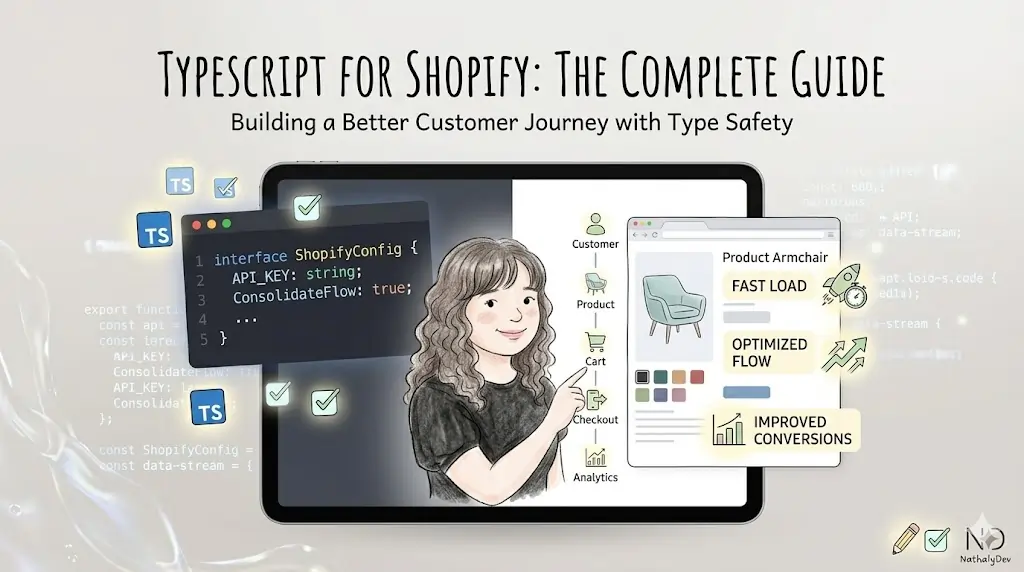
TypeScript for Shopify Development: Complete Guide
As a Shopify developer who has embraced TypeScript in numerous projects, I’ve seen firsthand how it transforms code quality and developer experience. This comprehensive guide will help you implement TypeScript effectively in your Shopify development workflow.
Why Use TypeScript with Shopify?
Key Benefits
- Type Safety: Catch errors during development, not runtime
- Better IDE Support: Enhanced autocomplete and refactoring
- Code Documentation: Types serve as inline documentation
- Team Collaboration: Clear interfaces between components
- Maintainability: Easier to refactor and extend code
Setting Up TypeScript for Shopify Development
1. Theme Development Setup
Initialize TypeScript Configuration
// tsconfig.json
{
  "compilerOptions": {
    "target": "ES2020",
    "module": "ESNext",
    "moduleResolution": "node",
    "lib": ["ES2020", "DOM"],
    "strict": true,
    "esModuleInterop": true,
    "skipLibCheck": true,
    "forceConsistentCasingInFileNames": true,
    "declaration": true,
    "outDir": "./dist",
    "rootDir": "./src",
    "baseUrl": ".",
    "paths": {
      "@/*": ["src/*"],
      "@/sections/*": ["src/sections/*"],
      "@/snippets/*": ["src/snippets/*"]
    }
  },
  "include": [
    "src/**/*"
  ],
  "exclude": [
    "node_modules",
    "dist"
  ]
}
Package.json Scripts
{
  "scripts": {
    "build": "tsc && npm run build:theme",
    "build:theme": "shopify theme build",
    "dev": "tsc --watch & shopify theme dev",
    "type-check": "tsc --noEmit"
  }
}
2. Shopify App Development Setup
Install Required Dependencies
npm install typescript @types/node @types/react
npm install -D @shopify/shopify-api @shopify/shopify-app-node
App TypeScript Configuration
// tsconfig.json for Shopify Apps
{
  "compilerOptions": {
    "target": "ES2020",
    "module": "CommonJS",
    "lib": ["ES2020"],
    "outDir": "./dist",
    "rootDir": "./src",
    "strict": true,
    "esModuleInterop": true,
    "skipLibCheck": true,
    "forceConsistentCasingInFileNames": true,
    "resolveJsonModule": true,
    "types": ["node"]
  },
  "include": ["src/**/*"],
  "exclude": ["node_modules", "dist"]
}
TypeScript Types for Shopify
1. Product Types
// types/product.ts
export interface ShopifyProduct {
  id: string;
  title: string;
  handle: string;
  description: string;
  vendor: string;
  productType: string;
  tags: string[];
  status: 'active' | 'archived' | 'draft';
  variants: ShopifyProductVariant[];
  images: ShopifyImage[];
  options: ShopifyProductOption[];
  metafields?: ShopifyMetafield[];
}

export interface ShopifyProductVariant {
  id: string;
  title: string;
  sku?: string;
  barcode?: string;
  price: string;
  compareAtPrice?: string;
  weight?: number;
  weightUnit?: 'kg' | 'g' | 'lb' | 'oz';
  inventoryQuantity: number;
  inventoryManagement?: string;
  inventoryPolicy: 'deny' | 'continue';
  requiresShipping: boolean;
  taxable: boolean;
  position: number;
  option1?: string;
  option2?: string;
  option3?: string;
  image?: ShopifyImage;
  selectedOptions: SelectedOption[];
  availableForSale: boolean;
}

export interface ShopifyImage {
  id: string;
  altText?: string;
  src: string;
  width: number;
  height: number;
  position: number;
}

export interface ShopifyProductOption {
  id: string;
  name: string;
  position: number;
  values: string[];
}

export interface SelectedOption {
  name: string;
  value: string;
}
2. Collection Types
// types/collection.ts
export interface ShopifyCollection {
  id: string;
  title: string;
  handle: string;
  description?: string;
  image?: ShopifyImage;
  products: ShopifyProduct[];
  productsCount: number;
  publishedAt: string;
  updatedAt: string;
  sortOrder: 'manual' | 'best-selling' | 'alpha-asc' | 'alpha-desc' | 'price-desc' | 'price-asc' | 'created-desc' | 'created-asc';
  templateSuffix?: string;
  metafields?: ShopifyMetafield[];
}

export interface CollectionFilter {
  available: boolean;
  handle: string;
  label: string;
  values: FilterValue[];
}

export interface FilterValue {
  label: string;
  value: string;
  count: number;
  active: boolean;
}
3. Cart Types
// types/cart.ts
export interface ShopifyCart {
  id: string;
  checkoutUrl: string;
  currency: string;
  totalWeight: number;
  items: ShopifyCartItem[];
  requiresShipping: boolean;
  subtotalPrice: string;
  totalPrice: string;
  lineItemsSubtotalPrice: string;
  taxesIncluded: boolean;
  taxes: ShopifyTax[];
  shippingAddress?: ShopifyAddress;
  shippingLine?: ShopifyShippingLine;
  note?: string;
  attributes: CartAttribute[];
  discountApplications: DiscountApplication[];
}

export interface ShopifyCartItem {
  id: string;
  quantity: number;
  variant: ShopifyProductVariant;
  title: string;
  originalTotalPrice: string;
  totalPrice: string;
  discountAllocations: DiscountAllocation[];
}

export interface ShopifyAddress {
  id: string;
  firstName?: string;
  lastName?: string;
  company?: string;
  address1?: string;
  address2?: string;
  city?: string;
  province?: string;
  country?: string;
  zip?: string;
  phone?: string;
}
Implementing TypeScript in Shopify Themes
1. Theme JavaScript with TypeScript
Product Component Type
// src/components/ProductCard.ts
interface ProductCardConfig {
  product: ShopifyProduct;
  showQuickAdd?: boolean;
  showVendor?: boolean;
  showComparePrice?: boolean;
  imageSizes?: {
    mobile: number;
    desktop: number;
  };
}

class ProductCard {
  private container: HTMLElement;
  private config: ProductCardConfig;
  private variantSelector: HTMLSelectElement | null = null;
  private addToCartButton: HTMLButtonElement | null = null;

  constructor(container: HTMLElement, config: ProductCardConfig) {
    this.container = container;
    this.config = config;
    this.init();
  }

  private init(): void {
    this.setupElements();
    this.bindEvents();
    this.render();
  }

  private setupElements(): void {
    this.variantSelector = this.container.querySelector('.variant-selector');
    this.addToCartButton = this.container.querySelector('.add-to-cart-btn');
  }

  private bindEvents(): void {
    if (this.variantSelector) {
      this.variantSelector.addEventListener('change', this.handleVariantChange.bind(this));
    }

    if (this.addToCartButton) {
      this.addToCartButton.addEventListener('click', this.handleAddToCart.bind(this));
    }
  }

  private handleVariantChange(event: Event): void {
    const select = event.target as HTMLSelectElement;
    const variantId = select.value;
    this.updateProductDisplay(variantId);
  }

  private async handleAddToCart(event: Event): Promise<void> {
    event.preventDefault();

    if (!this.addToCartButton) return;

    this.addToCartButton.disabled = true;
    this.addToCartButton.textContent = 'Adding...';

    try {
      const variantId = this.getSelectedVariantId();
      const quantity = 1;

      await this.addToCart(variantId, quantity);

      this.addToCartButton.textContent = 'Added!';
      setTimeout(() => {
        if (this.addToCartButton) {
          this.addToCartButton.textContent = 'Add to Cart';
          this.addToCartButton.disabled = false;
        }
      }, 2000);
    } catch (error) {
      console.error('Error adding to cart:', error);
      if (this.addToCartButton) {
        this.addToCartButton.textContent = 'Error - Try Again';
        this.addToCartButton.disabled = false;
      }
    }
  }

  private async addToCart(variantId: string, quantity: number): Promise<void> {
    const response = await fetch('/cart/add.js', {
      method: 'POST',
      headers: {
        'Content-Type': 'application/json',
      },
      body: JSON.stringify({
        items: [{
          id: variantId,
          quantity: quantity
        }]
      })
    });

    if (!response.ok) {
      throw new Error('Failed to add item to cart');
    }

    // Update cart UI
    this.updateCartUI();
  }

  private updateCartUI(): void {
    // Emit custom event for cart update
    document.dispatchEvent(new CustomEvent('cart:updated'));
  }

  private getSelectedVariantId(): string {
    if (this.variantSelector) {
      return this.variantSelector.value;
    }
    return this.config.product.variants[0].id;
  }

  private updateProductDisplay(variantId: string): void {
    const variant = this.config.product.variants.find(v => v.id === variantId);
    if (!variant) return;

    this.updatePrice(variant);
    this.updateImage(variant);
    this.updateAvailability(variant);
  }

  private updatePrice(variant: ShopifyProductVariant): void {
    const priceElement = this.container.querySelector('.product-price');
    if (!priceElement) return;

    const price = this.formatMoney(variant.price);
    let priceHTML = `<span class="current-price">${price}</span>`;

    if (variant.compareAtPrice && parseFloat(variant.compareAtPrice) > parseFloat(variant.price)) {
      const comparePrice = this.formatMoney(variant.compareAtPrice);
      priceHTML += ` <span class="compare-price">${comparePrice}</span>`;
    }

    priceElement.innerHTML = priceHTML;
  }

  private updateImage(variant: ShopifyProductVariant): void {
    if (!variant.image) return;

    const imageElement = this.container.querySelector('.product-image') as HTMLImageElement;
    if (imageElement) {
      imageElement.src = variant.image.src;
      imageElement.alt = variant.image.altText || this.config.product.title;
    }
  }

  private updateAvailability(variant: ShopifyProductVariant): void {
    if (!this.addToCartButton) return;

    if (variant.availableForSale) {
      this.addToCartButton.disabled = false;
      this.addToCartButton.textContent = 'Add to Cart';
    } else {
      this.addToCartButton.disabled = true;
      this.addToCartButton.textContent = 'Out of Stock';
    }
  }

  private formatMoney(cents: string): string {
    // Implement money formatting logic
    const amount = parseFloat(cents) / 100;
    return new Intl.NumberFormat('en-US', {
      style: 'currency',
      currency: 'USD'
    }).format(amount);
  }

  private render(): void {
    this.container.innerHTML = this.getTemplate();
  }

  private getTemplate(): string {
    const product = this.config.product;
    const firstVariant = product.variants[0];

    return `
      <div class="product-card">
        <div class="product-image-container">
          <img
            src="${firstVariant.image?.src || '/placeholder.jpg'}"
            alt="${firstVariant.image?.altText || product.title}"
            class="product-image"
            loading="lazy"
          >
        </div>

        <div class="product-info">
          ${this.config.showVendor ? `<p class="product-vendor">${product.vendor}</p>` : ''}

          <h3 class="product-title">
            <a href="/products/${product.handle}">${product.title}</a>
          </h3>

          <div class="product-price">
            ${this.renderPrice(firstVariant)}
          </div>

          ${product.variants.length > 1 ? `
            <select class="variant-selector">
              ${product.variants.map(variant => `
                <option value="${variant.id}" ${!variant.availableForSale ? 'disabled' : ''}>
                  ${variant.title} ${!variant.availableForSale ? '(Out of Stock)' : ''}
                </option>
              `).join('')}
            </select>
          ` : ''}

          <button class="add-to-cart-btn" ${!firstVariant.availableForSale ? 'disabled' : ''}>
            ${firstVariant.availableForSale ? 'Add to Cart' : 'Out of Stock'}
          </button>
        </div>
      </div>
    `;
  }

  private renderPrice(variant: ShopifyProductVariant): string {
    const price = this.formatMoney(variant.price);
    let priceHTML = `<span class="current-price">${price}</span>`;

    if (this.config.showComparePrice && variant.compareAtPrice && parseFloat(variant.compareAtPrice) > parseFloat(variant.price)) {
      const comparePrice = this.formatMoney(variant.compareAtPrice);
      priceHTML += ` <span class="compare-price">${comparePrice}</span>`;
    }

    return priceHTML;
  }
}

// Export for use in theme
window.ProductCard = ProductCard;
2. Cart Management with TypeScript
Cart Manager Class
// src/managers/CartManager.ts
interface CartManagerConfig {
  onCartUpdate?: (cart: ShopifyCart) => void;
  onCartError?: (error: Error) => void;
}

class CartManager {
  private config: CartManagerConfig;
  private cart: ShopifyCart | null = null;
  private debounceTimer: NodeJS.Timeout | null = null;

  constructor(config: CartManagerConfig = {}) {
    this.config = config;
    this.init();
  }

  private init(): void {
    this.bindEvents();
    this.loadCart();
  }

  private bindEvents(): void {
    document.addEventListener('cart:updated', this.handleCartUpdate.bind(this));
    document.addEventListener('cart:refresh', this.refreshCart.bind(this));
  }

  private async loadCart(): Promise<void> {
    try {
      const response = await fetch('/cart.js');
      const cart = await response.json() as ShopifyCart;
      this.cart = cart;
      this.notifyUpdate(cart);
    } catch (error) {
      this.handleError(error as Error);
    }
  }

  private async refreshCart(): Promise<void> {
    await this.loadCart();
  }

  private handleCartUpdate(): void {
    if (this.debounceTimer) {
      clearTimeout(this.debounceTimer);
    }

    this.debounceTimer = setTimeout(() => {
      this.loadCart();
    }, 300);
  }

  private notifyUpdate(cart: ShopifyCart): void {
    if (this.config.onCartUpdate) {
      this.config.onCartUpdate(cart);
    }

    // Update cart count in header
    this.updateCartCount(cart.items.length);
  }

  private handleError(error: Error): void {
    console.error('Cart error:', error);
    if (this.config.onCartError) {
      this.config.onCartError(error);
    }
  }

  private updateCartCount(count: number): void {
    const cartCountElements = document.querySelectorAll('.cart-count');
    cartCountElements.forEach(element => {
      element.textContent = count.toString();
    });
  }

  public async addItem(variantId: string, quantity: number = 1): Promise<void> {
    try {
      const response = await fetch('/cart/add.js', {
        method: 'POST',
        headers: {
          'Content-Type': 'application/json',
        },
        body: JSON.stringify({
          items: [{
            id: variantId,
            quantity: quantity
          }]
        })
      });

      if (!response.ok) {
        throw new Error('Failed to add item to cart');
      }

      // Trigger cart update
      document.dispatchEvent(new CustomEvent('cart:updated'));
    } catch (error) {
      this.handleError(error as Error);
      throw error;
    }
  }

  public async updateItem(lineItemId: string, quantity: number): Promise<void> {
    try {
      const response = await fetch('/cart/change.js', {
        method: 'POST',
        headers: {
          'Content-Type': 'application/json',
        },
        body: JSON.stringify({
          line: lineItemId,
          quantity: quantity
        })
      });

      if (!response.ok) {
        throw new Error('Failed to update cart item');
      }

      document.dispatchEvent(new CustomEvent('cart:updated'));
    } catch (error) {
      this.handleError(error as Error);
      throw error;
    }
  }

  public async removeItem(lineItemId: string): Promise<void> {
    return this.updateItem(lineItemId, 0);
  }

  public getCart(): ShopifyCart | null {
    return this.cart;
  }

  public getCartTotal(): string {
    return this.cart?.totalPrice || '0.00';
  }

  public getCartItemCount(): number {
    return this.cart?.items.reduce((total, item) => total + item.quantity, 0) || 0;
  }
}

// Export for use in theme
window.CartManager = CartManager;
TypeScript for Shopify Apps
1. API Client Types
Shopify Admin API Client
// src/api/ShopifyAdminClient.ts
import { ShopifyAdminAPI } from '@shopify/shopify-api';

interface AdminAPIConfig {
  shopDomain: string;
  accessToken: string;
  apiVersion: string;
}

class ShopifyAdminClient {
  private client: ShopifyAdminAPI;
  private config: AdminAPIConfig;

  constructor(config: AdminAPIConfig) {
    this.config = config;
    this.client = new ShopifyAdminAPI({
      shopDomain: config.shopDomain,
      accessToken: config.accessToken,
      apiVersion: config.apiVersion
    });
  }

  public async getProduct(productId: string): Promise<ShopifyProduct> {
    try {
      const response = await this.client.rest({
        method: 'GET',
        path: `products/${productId}`
      });

      return response.body.product as ShopifyProduct;
    } catch (error) {
      throw new Error(`Failed to fetch product ${productId}: ${error}`);
    }
  }

  public async updateProduct(productId: string, updates: Partial<ShopifyProduct>): Promise<ShopifyProduct> {
    try {
      const response = await this.client.rest({
        method: 'PUT',
        path: `products/${productId}`,
        data: {
          product: updates
        }
      });

      return response.body.product as ShopifyProduct;
    } catch (error) {
      throw new Error(`Failed to update product ${productId}: ${error}`);
    }
  }

  public async createProduct(productData: Omit<ShopifyProduct, 'id'>): Promise<ShopifyProduct> {
    try {
      const response = await this.client.rest({
        method: 'POST',
        path: 'products',
        data: {
          product: productData
        }
      });

      return response.body.product as ShopifyProduct;
    } catch (error) {
      throw new Error(`Failed to create product: ${error}`);
    }
  }

  public async getProducts(params: {
    limit?: number;
    page?: number;
    since_id?: string;
    ids?: string[];
  } = {}): Promise<{ products: ShopifyProduct[] }> {
    try {
      const response = await this.client.rest({
        method: 'GET',
        path: 'products',
        query: params
      });

      return response.body as { products: ShopifyProduct[] };
    } catch (error) {
      throw new Error(`Failed to fetch products: ${error}`);
    }
  }
}

export default ShopifyAdminClient;
2. Webhook Handler Types
Webhook Event Types
// src/webhooks/WebhookHandler.ts
interface WebhookEvent {
  id: string;
  created_at: string;
  topic: string;
  shop_domain: string;
  api_version: string;
  data: any;
}

interface OrderCreatedEvent extends WebhookEvent {
  topic: 'orders/create';
  data: {
    id: number;
    email: string;
    created_at: string;
    updated_at: string;
    total_price: string;
    subtotal_price: string;
    total_weight: number;
    currency: string;
    financial_status: string;
    confirmed: boolean;
    total_discount: string;
    line_items: OrderLineItem[];
  };
}

interface OrderLineItem {
  id: number;
  variant_id: number;
  title: string;
  quantity: number;
  price: string;
  sku?: string;
  variant_title?: string;
  vendor?: string;
  product_id: number;
  product_exists: boolean;
  fulfillable_quantity: number;
  fulfillment_service: string;
  fulfillment_status?: string;
  requires_shipping: boolean;
  taxable: boolean;
  gift_card: boolean;
  variant_inventory_management?: string;
  properties?: any;
  product_exists: boolean;
  taxable: boolean;
  discount_allocations: any[];
}

class WebhookHandler {
  private handlers: Map<string, (event: WebhookEvent) => Promise<void>>;

  constructor() {
    this.handlers = new Map();
  }

  public registerHandler(topic: string, handler: (event: WebhookEvent) => Promise<void>): void {
    this.handlers.set(topic, handler);
  }

  public async handleWebshopifyEvent(event: WebhookEvent): Promise<void> {
    const handler = this.handlers.get(event.topic);

    if (!handler) {
      console.warn(`No handler registered for topic: ${event.topic}`);
      return;
    }

    try {
      await handler(event);
    } catch (error) {
      console.error(`Error handling webhook ${event.topic}:`, error);
      throw error;
    }
  }

  public async handleOrderCreated(event: OrderCreatedEvent): Promise<void> {
    // Process order creation
    console.log(`Order ${event.data.id} created for ${event.data.email}`);

    // Add custom business logic here
    // - Send confirmation email
    // - Update inventory
    // - Create shipping label
    // - Notify team members
  }
}

export default WebhookHandler;
Testing TypeScript Code
1. Unit Tests with Jest
Product Component Tests
// __tests__/ProductCard.test.ts
import { ProductCard } from '../src/components/ProductCard';
import { ShopifyProduct } from '../src/types/product';

describe('ProductCard', () => {
  let container: HTMLElement;
  let mockProduct: ShopifyProduct;

  beforeEach(() => {
    container = document.createElement('div');
    document.body.appendChild(container);

    mockProduct = {
      id: '1',
      title: 'Test Product',
      handle: 'test-product',
      description: 'Test description',
      vendor: 'Test Vendor',
      productType: 'Test Type',
      tags: ['test'],
      status: 'active',
      variants: [
        {
          id: '1-1',
          title: 'Default Title',
          price: '2999',
          inventoryQuantity: 10,
          requiresShipping: true,
          taxable: true,
          position: 1,
          availableForSale: true,
          selectedOptions: []
        }
      ],
      images: [
        {
          id: '1-1',
          src: 'test-image.jpg',
          width: 800,
          height: 800,
          position: 1
        }
      ],
      options: []
    };
  });

  afterEach(() => {
    document.body.removeChild(container);
  });

  test('should render product card with basic information', () => {
    const productCard = new ProductCard(container, {
      product: mockProduct
    });

    const title = container.querySelector('.product-title');
    expect(title?.textContent).toBe(mockProduct.title);

    const price = container.querySelector('.current-price');
    expect(price?.textContent).toBe('$29.99');
  });

  test('should handle variant selection', () => {
    mockProduct.variants.push({
      id: '1-2',
      title: 'Large',
      price: '3999',
      inventoryQuantity: 5,
      requiresShipping: true,
      taxable: true,
      position: 2,
      availableForSale: true,
      selectedOptions: []
    });

    const productCard = new ProductCard(container, {
      product: mockProduct
    });

    const variantSelector = container.querySelector('.variant-selector') as HTMLSelectElement;
    expect(variantSelector).toBeTruthy();
    expect(variantSelector?.options.length).toBe(2);
  });

  test('should disable add to cart button for unavailable variants', () => {
    mockProduct.variants[0].availableForSale = false;

    const productCard = new ProductCard(container, {
      product: mockProduct
    });

    const addToCartButton = container.querySelector('.add-to-cart-btn') as HTMLButtonElement;
    expect(addToCartButton.disabled).toBe(true);
    expect(addToCartButton.textContent).toBe('Out of Stock');
  });
});
Best Practices and Tips
1. Type Safety Best Practices
Strict Type Checking
// Enable strict mode in tsconfig.json
{
  "compilerOptions": {
    "strict": true,
    "noImplicitAny": true,
    "strictNullChecks": true,
    "strictFunctionTypes": true
  }
}

// Use type guards
function isShopifyProduct(obj: any): obj is ShopifyProduct {
  return obj &&
         typeof obj.id === 'string' &&
         typeof obj.title === 'string' &&
         Array.isArray(obj.variants);
}

// Safe API response handling
async function fetchProduct(id: string): Promise<ShopifyProduct | null> {
  try {
    const response = await fetch(`/products/${id}.js`);
    const data = await response.json();

    if (isShopifyProduct(data)) {
      return data;
    }

    return null;
  } catch (error) {
    console.error('Failed to fetch product:', error);
    return null;
  }
}
2. Performance Optimization
Tree Shaking and Code Splitting
// Dynamic imports for better performance
const loadProductComponent = async () => {
  const { ProductCard } = await import('./components/ProductCard');
  return ProductCard;
};

// Conditional loading
if (document.querySelector('.product-card')) {
  loadProductComponent().then(ProductCard => {
    // Initialize product cards
  });
}
3. Error Handling
Comprehensive Error Types
// Custom error classes
class ShopifyAPIError extends Error {
  constructor(
    message: string,
    public statusCode?: number,
    public response?: any
  ) {
    super(message);
    this.name = 'ShopifyAPIError';
  }
}

class ValidationError extends Error {
  constructor(
    message: string,
    public field: string,
    public value: any
  ) {
    super(message);
    this.name = 'ValidationError';
  }
}

// Error handling utility
async function safeAPICall<T>(
  apiCall: () => Promise<T>,
  fallback?: T
): Promise<T | null> {
  try {
    return await apiCall();
  } catch (error) {
    if (error instanceof ShopifyAPIError) {
      console.error('API Error:', error.message);
    } else if (error instanceof ValidationError) {
      console.error('Validation Error:', error.message);
    } else {
      console.error('Unexpected error:', error);
    }

    return fallback || null;
  }
}
Conclusion
TypeScript brings significant benefits to Shopify development, from catching errors early to improving code maintainability. By implementing the patterns and best practices outlined in this guide, you’ll create more robust and maintainable Shopify themes and applications.
Key takeaways:
- Start with proper TypeScript configuration
- Create comprehensive type definitions for Shopify objects
- Implement type-safe API clients and component classes
- Use strict type checking and error handling
- Write tests to ensure type safety and functionality
Need help implementing TypeScript in your Shopify project? Book a call for expert TypeScript development services.
For more development insights, check out our guides on React best practices and headless Shopify development.