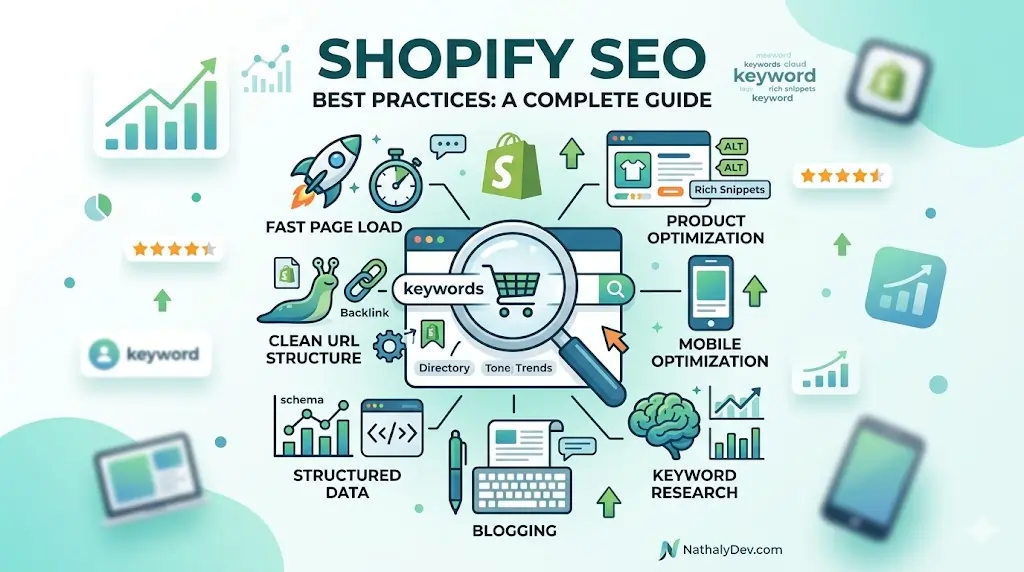
Shopify SEO Best Practices: Complete Guide for Higher Rankings
As a Shopify developer who has worked on numerous e-commerce stores, I’ve seen firsthand how proper SEO implementation can dramatically increase organic traffic and sales. This comprehensive guide covers everything you need to know about Shopify SEO in 2024.
Technical SEO Foundation
1. URL Structure Optimization
Clean URL Patterns
<!-- Good URL structure -->
/products/product-name
/collections/category-name
/blogs/blog-name/article-title

<!-- Avoid -->
/products/12345
/collections/collection-handle?variant=12345
Implement Breadcrumbs
<!-- snippets/breadcrumbs.liquid -->
{% unless template == 'index' or template == 'cart' %}
  <nav class="breadcrumb" role="navigation" aria-label="breadcrumb">
    <ol class="breadcrumb__list">
      <li class="breadcrumb__item">
        <a class="breadcrumb__link" href="/" title="Home">Home</a>
      </li>

      {% if template contains 'product' %}
        <li class="breadcrumb__item">
          <a class="breadcrumb__link" href="/collections/all" title="Products">Products</a>
        </li>
        <li class="breadcrumb__item">
          <span class="breadcrumb__link">{{ product.title }}</span>
        </li>
      {% elsif template contains 'collection' %}
        <li class="breadcrumb__item">
          <span class="breadcrumb__link">{{ collection.title }}</span>
        </li>
      {% elsif template == 'blog' %}
        <li class="breadcrumb__item">
          <span class="breadcrumb__link">{{ blog.title }}</span>
        </li>
      {% elsif template == 'article' %}
        <li class="breadcrumb__item">
          <a class="breadcrumb__link" href="{{ blog.url }}" title="{{ blog.title }}">{{ blog.title }}</a>
        </li>
        <li class="breadcrumb__item">
          <span class="breadcrumb__link">{{ article.title }}</span>
        </li>
      {% endif %}
    </ol>
  </nav>
{% endunless %}
2. Meta Tags Implementation
Dynamic Meta Titles
<!-- snippets/meta-title.liquid -->
{% assign title = '' %}

{% if template == 'product' %}
  {% assign title = product.title | append: ' | ' | append: shop.name %}
{% elsif template == 'collection' %}
  {% assign title = collection.title | append: ' | ' | append: shop.name %}
{% elsif template == 'blog' %}
  {% assign title = blog.title | append: ' | ' | append: shop.name %}
{% elsif template == 'article' %}
  {% assign title = article.title | append: ' | ' | append: blog.title | append: ' | ' | append: shop.name %}
{% elsif template == 'page' %}
  {% assign title = page.title | append: ' | ' | append: shop.name %}
{% else %}
  {% assign title = shop.name %}
{% endif %}

<title>{{ title }}</title>
Meta Descriptions
<!-- snippets/meta-description.liquid -->
{% assign description = '' %}

{% if template == 'product' %}
  {% assign description = product.description | strip_html | truncate: 160 %}
{% elsif template == 'collection' %}
  {% assign description = collection.description | strip_html | truncate: 160 %}
{% elsif template == 'article' %}
  {% assign description = article.excerpt | strip_html | truncate: 160 %}
{% elsif template == 'page' %}
  {% assign description = page.content | strip_html | truncate: 160 %}
{% endif %}

{% if description != '' %}
  <meta name="description" content="{{ description }}">
{% endif %}
3. Structured Data Implementation
Product Schema Markup
<!-- snippets/product-schema.liquid -->
<script type="application/ld+json">
{
  "@context": "https://schema.org/",
  "@type": "Product",
  "name": {{ product.title | json }},
  "image": [
    {% for image in product.images limit: 5 %}
      {{ image | img_url: 'master' | json }}{% unless forloop.last %},{% endunless %}
    {% endfor %}
  ],
  "description": {{ product.description | strip_html | json }},
  "brand": {
    "@type": "Brand",
    "name": {{ product.vendor | json }}
  },
  "sku": {{ product.selected_or_first_available_variant.sku | json }},
  "offers": {
    "@type": "Offer",
    "url": {{ shop.secure_url | append: product.url | json }},
    "priceCurrency": {{ cart.currency.iso_code | json }},
    "price": "{{ product.selected_or_first_available_variant.price | divided_by: 100.00 }}",
    "priceValidUntil": "{{ 'now' | date: '%s' | plus: 31536000 | date: '%Y-%m-%d' }}",
    "itemCondition": "https://schema.org/NewCondition",
    "availability": {% if product.selected_or_first_available_variant.available %}"https://schema.org/InStock"{% else %}"https://schema.org/OutOfStock"{% endif %}
  }
}
</script>
Breadcrumb Schema
<!-- snippets/breadcrumb-schema.liquid -->
<script type="application/ld+json">
{
  "@context": "https://schema.org",
  "@type": "BreadcrumbList",
  "itemListElement": [
    {
      "@type": "ListItem",
      "position": 1,
      "name": "Home",
      "item": "{{ shop.url }}"
    }{% if template contains 'product' %},
    {
      "@type": "ListItem",
      "position": 2,
      "name": "Products",
      "item": "{{ shop.url }}/collections/all"
    },
    {
      "@type": "ListItem",
      "position": 3,
      "name": {{ product.title | json }},
      "item": "{{ shop.url }}{{ product.url }}"
    }{% endif %}
  ]
}
</script>
Content SEO Strategy
1. Product Page Optimization
Compelling Product Descriptions
<!-- Optimize product descriptions -->
<div class="product-description">
  <h2>Product Details</h2>
  <div class="description-content">
    {{ product.description }}
  </div>

  <!-- Add specifications table -->
  {% if product.metafields.custom.specifications %}
    <div class="product-specifications">
      <h3>Specifications</h3>
      <table>
        {% for spec in product.metafields.custom.specifications.value %}
          <tr>
            <td>{{ spec.name }}</td>
            <td>{{ spec.value }}</td>
          </tr>
        {% endfor %}
      </table>
    </div>
  {% endif %}

  <!-- Add user-generated content -->
  {% if product.metafields.custom.reviews %}
    <div class="product-reviews">
      <h3>Customer Reviews</h3>
      <div class="reviews-summary">
        <span class="rating">{{ product.metafields.custom.average_rating }}/5</span>
        <span class="review-count">({{ product.metafields.custom.review_count }} reviews)</span>
      </div>
    </div>
  {% endif %}
</div>
User-Generated Content Integration
<!-- Customer photos and reviews -->
<div class="user-generated-content">
  <h3>Customer Photos</h3>
  <div class="customer-gallery">
    {% for photo in product.metafields.custom.customer_photos.value %}
      <div class="customer-photo">
        <img src="{{ photo.url }}" alt="Customer photo" loading="lazy">
        <p>{{ photo.caption }}</p>
      </div>
    {% endfor %}
  </div>
</div>
2. Collection Page Optimization
Enhanced Collection Descriptions
<!-- Enhanced collection content -->
<div class="collection-header">
  <h1>{{ collection.title }}</h1>
  <div class="collection-description">
    {{ collection.description }}
  </div>

  <!-- Add collection-specific content -->
  {% if collection.metafields.custom.buying_guide %}
    <div class="buying-guide">
      <h3>Buying Guide</h3>
      {{ collection.metafields.custom.buying_guide }}
    </div>
  {% endif %}

  <!-- Filter and sort options -->
  <div class="collection-controls">
    <div class="filter-options">
      <!-- Custom filters -->
    </div>
    <div class="sort-options">
      <select id="sort-by">
        <option value="manual">Featured</option>
        <option value="price-ascending">Price: Low to High</option>
        <option value="price-descending">Price: High to Low</option>
        <option value="title-ascending">Alphabetically: A-Z</option>
        <option value="title-descending">Alphabetically: Z-A</option>
        <option value="created-ascending">Date: Old to New</option>
        <option value="created-descending">Date: New to Old</option>
      </select>
    </div>
  </div>
</div>
Page Speed Optimization
1. Image Optimization
Responsive Image Implementation
<!-- Optimized product images -->
<img
  src="{{ product.featured_image | img_url: '300x' }}"
  srcset="{{ product.featured_image | img_url: '300x' }} 300w,
          {{ product.featured_image | img_url: '600x' }} 600w,
          {{ product.featured_image | img_url: '900x' }} 900w,
          {{ product.featured_image | img_url: '1200x' }} 1200w"
  sizes="(max-width: 600px) 300px, (max-width: 900px) 600px, (max-width: 1200px) 900px, 1200px"
  alt="{{ product.featured_image.alt | escape }}"
  loading="lazy"
  width="{{ product.featured_image.width }}"
  height="{{ product.featured_image.height }}"
>
WebP Image Support
<!-- WebP fallback implementation -->
<picture>
  <source srcset="{{ image | img_url: 'master', format: 'webp' }}" type="image/webp">
  <img src="{{ image | img_url: 'master' }}" alt="{{ image.alt | escape }}" loading="lazy">
</picture>
2. CSS and JavaScript Optimization
Critical CSS Implementation
/* Critical CSS for above-the-fold content */
.header {
  display: flex;
  justify-content: space-between;
  align-items: center;
  padding: 1rem;
}

.product-grid {
  display: grid;
  grid-template-columns: repeat(auto-fit, minmax(250px, 1fr));
  gap: 2rem;
}

.product-card {
  border: 1px solid #eee;
  border-radius: 8px;
  overflow: hidden;
}
Lazy Loading Implementation
// Lazy loading for images and content
document.addEventListener("DOMContentLoaded", function() {
  const lazyImages = document.querySelectorAll('img[data-src]');
  const lazyContent = document.querySelectorAll('[data-lazy-load]');

  const imageObserver = new IntersectionObserver((entries, observer) => {
    entries.forEach(entry => {
      if (entry.isIntersecting) {
        const img = entry.target;
        img.src = img.dataset.src;
        img.classList.remove('lazy');
        imageObserver.unobserve(img);
      }
    });
  });

  lazyImages.forEach(img => imageObserver.observe(img));
});
Mobile SEO Optimization
1. Responsive Design Implementation
Mobile-First CSS
/* Mobile-first approach */
.product-grid {
  display: grid;
  grid-template-columns: 1fr;
  gap: 1rem;
}

@media (min-width: 768px) {
  .product-grid {
    grid-template-columns: repeat(2, 1fr);
    gap: 1.5rem;
  }
}

@media (min-width: 1024px) {
  .product-grid {
    grid-template-columns: repeat(3, 1fr);
    gap: 2rem;
  }
}

@media (min-width: 1280px) {
  .product-grid {
    grid-template-columns: repeat(4, 1fr);
  }
}
Touch-Friendly Navigation
/* Mobile navigation optimizations */
.mobile-menu {
  position: fixed;
  top: 0;
  left: -100%;
  width: 80%;
  height: 100vh;
  background: white;
  transition: left 0.3s ease;
  z-index: 1000;
}

.mobile-menu.active {
  left: 0;
}

.mobile-menu-toggle {
  position: relative;
  z-index: 1001;
  padding: 1rem;
  background: none;
  border: none;
  cursor: pointer;
}

/* Touch targets minimum 44px */
.mobile-menu-item {
  display: block;
  padding: 1rem;
  border-bottom: 1px solid #eee;
  min-height: 44px;
}
2. Core Web Vitals Optimization
Largest Contentful Paint (LCP) Optimization
<!-- Prioritize above-the-fold content -->
<div class="hero-section">
  {% if collection.image %}
    <img
      src="{{ collection.image | img_url: '1200x' }}"
      alt="{{ collection.title }}"
      loading="eager"
      fetchpriority="high"
      width="{{ collection.image.width }}"
      height="{{ collection.image.height }}"
    >
  {% endif %}
  <div class="hero-content">
    <h1>{{ collection.title }}</h1>
    <p>{{ collection.description | strip_html | truncate: 100 }}</p>
  </div>
</div>
Cumulative Layout Shift (CLS) Prevention
/* Prevent layout shifts */
.product-image {
  aspect-ratio: 1 / 1;
  background-color: #f5f5f5;
}

.product-card {
  contain: layout;
}

/* Reserve space for dynamically loaded content */
.dynamic-content {
  min-height: 200px;
  background: #f9f9f9;
}
Local SEO for Multi-Location Stores
1. Location Pages
<!-- Location-specific pages -->
{% if page.template == 'location' %}
  <div class="location-content">
    <h1>{{ page.title }}</h1>
    <div class="location-details">
      <address>
        {{ page.metafields.custom.address }}
      </address>
      <div class="contact-info">
        <p>Phone: {{ page.metafields.custom.phone }}</p>
        <p>Email: {{ page.metafields.custom.email }}</p>
      </div>
    </div>

    <!-- Embedded map -->
    <div class="location-map">
      {{ page.metafields.custom.map_embed }}
    </div>

    <!-- Local schema -->
    <script type="application/ld+json">
    {
      "@context": "https://schema.org",
      "@type": "LocalBusiness",
      "name": {{ shop.name | json }},
      "address": {{ page.metafields.custom.address | json }},
      "telephone": {{ page.metafields.custom.phone | json }},
      "geo": {
        "@type": "GeoCoordinates",
        "latitude": {{ page.metafields.custom.latitude | json }},
        "longitude": {{ page.metafields.custom.longitude | json }}
      }
    }
    </script>
  </div>
{% endif %}
Analytics and Monitoring
1. Google Analytics 4 Implementation
<!-- GA4 e-commerce tracking -->
<script>
  gtag('event', 'view_item', {
    currency: "{{ cart.currency.iso_code }}",
    value: {{ product.selected_or_first_available_variant.price | divided_by: 100.00 }},
    items: [{
      item_id: "{{ product.selected_or_first_available_variant.sku }}",
      item_name: "{{ product.title }}",
      currency: "{{ cart.currency.iso_code }}",
      price: {{ product.selected_or_first_available_variant.price | divided_by: 100.00 }}
    }]
  });
</script>
2. Search Console Integration
<!-- Add to theme.liquid -->
{% if template contains 'product' %}
  <script type="application/ld+json">
  {
    "@context": "https://schema.org",
    "@type": "Product",
    "@id": "{{ shop.url }}{{ product.url }}",
    "url": "{{ shop.url }}{{ product.url }}",
    "name": {{ product.title | json }}
  }
  </script>
{% endif %}
Common SEO Mistakes to Avoid
1. Duplicate Content Issues
<!-- Implement canonical tags -->
{% if template == 'product' %}
  <link rel="canonical" href="{{ shop.url }}{{ product.url }}">
{% elsif template == 'collection' %}
  <link rel="canonical" href="{{ shop.url }}{{ collection.url }}">
{% else %}
  <link rel="canonical" href="{{ shop.url }}{{ page.url }}">
{% endif %}
2. Orphan Pages Prevention
<!-- Ensure all pages are accessible -->
<nav class="main-navigation">
  <ul>
    <li><a href="/">Home</a></li>
    <li><a href="/collections/all">Products</a></li>
    <li><a href="/pages/about">About</a></li>
    <li><a href="/blogs/news">Blog</a></li>
    <li><a href="/pages/contact">Contact</a></li>
  </ul>
</nav>
Advanced SEO Techniques
1. International SEO
<!-- Hreflang implementation -->
{% if shop.enabled_locales.size > 1 %}
  {% for locale in shop.enabled_locales %}
    <link rel="alternate" hreflang="{{ locale.iso_code }}" href="{{ locale.root_url }}{{ request.path }}">
  {% endfor %}
  <link rel="alternate" hreflang="x-default" href="{{ shop.url }}{{ request.path }}">
{% endif %}
2. Video SEO
<!-- Video schema markup -->
{% if product.metafields.custom.video_url %}
  <script type="application/ld+json">
  {
    "@context": "https://schema.org",
    "@type": "VideoObject",
    "name": {{ product.title | append: ' Video' | json }},
    "description": {{ product.description | strip_html | truncate: 160 | json }},
    "thumbnailUrl": {{ product.featured_image | img_url: 'master' | json }},
    "uploadDate": "{{ product.published_at | date: '%Y-%m-%d' }}",
    "contentUrl": {{ product.metafields.custom.video_url | json }}
  }
  </script>
{% endif %}
Measuring SEO Success
Key Metrics to Track
- Organic Traffic Growth
- Keyword Rankings
- Core Web Vitals
- Conversion Rate
- Page Load Speed
- Mobile Usability
SEO Audit Checklist
- Meta tags optimization
- Structured data implementation
- Site speed optimization
- Mobile responsiveness
- Internal linking structure
- XML sitemap accuracy
- Robots.txt configuration
- Canonical tags
- Image optimization
- Content quality assessment
Conclusion
Implementing these Shopify SEO best practices will significantly improve your store’s visibility and organic traffic. Remember that SEO is an ongoing process that requires continuous monitoring and optimization.
Key takeaways:
- Focus on technical SEO foundation first
- Create high-quality, unique content
- Optimize for mobile and page speed
- Implement proper structured data
- Monitor performance and adjust strategies
Need help with your Shopify SEO implementation? Book a call for expert SEO optimization services tailored to your e-commerce store.
For more technical guidance, check out our Shopify performance tips and theme customization guide.